AI Video Agent.
An AI-driven video workspace that turns a single prompt into a finished, polished video — script, visuals, voice, and edits, in one place.
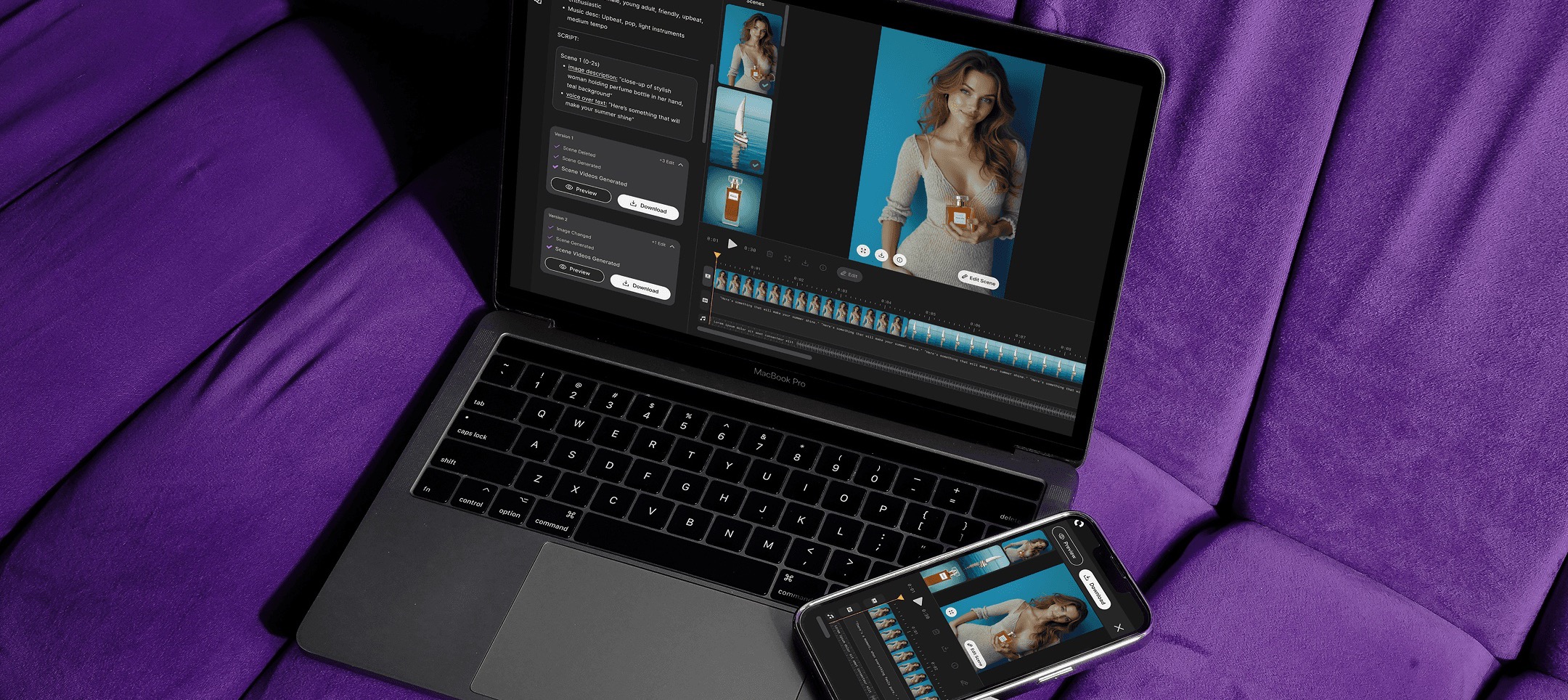
One prompt, a finished video.
What is Affogato AI?Affogato AI (previously RenderNet AI) is an AI image and video generation platform that specialises in consistent characters and lifelike visuals for creators and brands — producing ads, stories, and social content instantly.
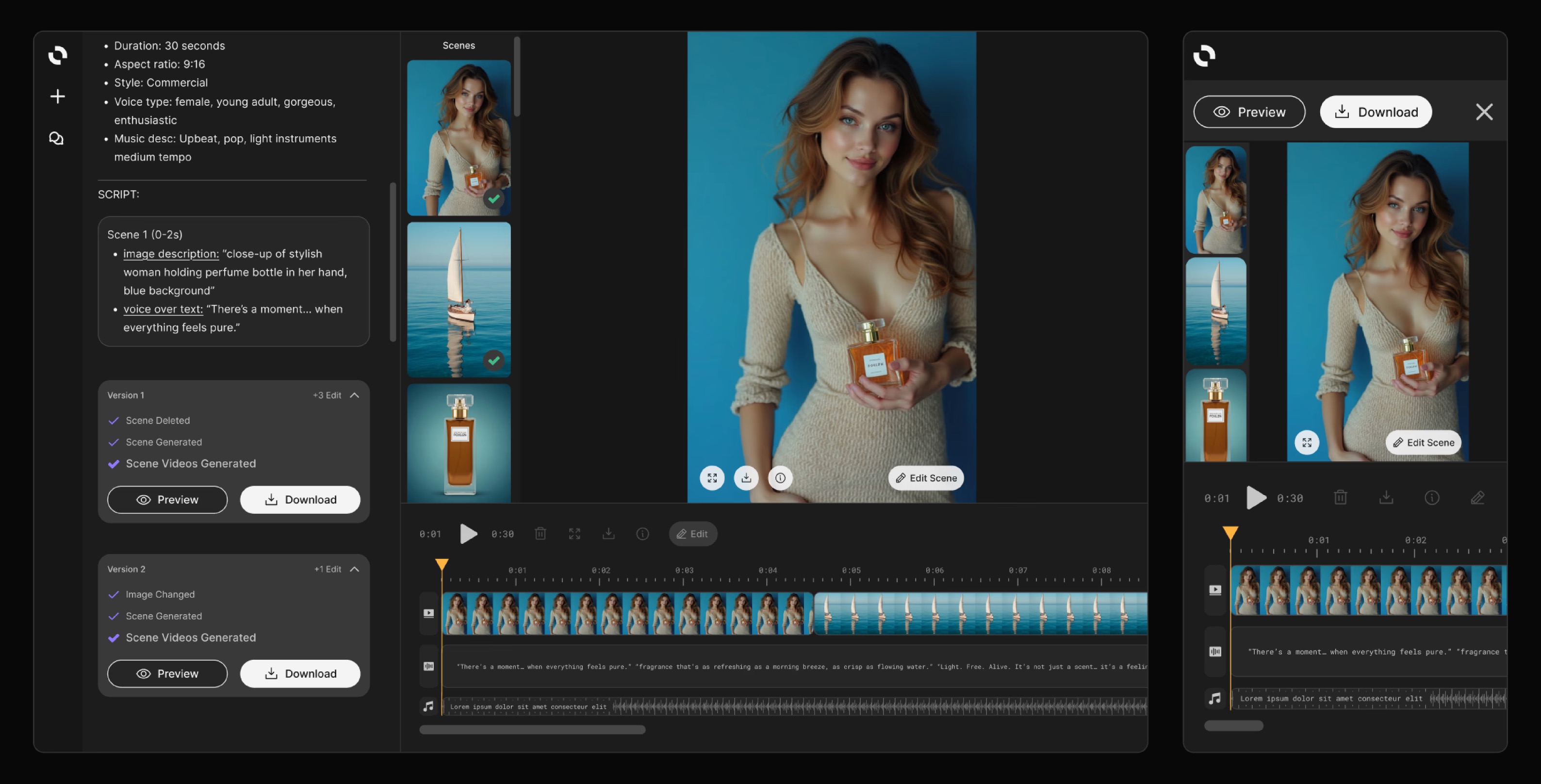
What is the AI Video Agent?The Video Agent is an AI-driven video workspace that turns ideas into polished videos. It handles scripting, visuals, voice, and editing — generating complete video content from a single prompt.
AI video creation is fragmented.
Users jump across tools to assemble scripts, visuals, voice, and edits — every hand-off a chance to lose momentum and consistency.
Affogato AI needed a single, seamless prompt-to-video system that outputs a finished, polished video — no stitching required.
Led the full lifecycle, 0 → 1.
I led the full lifecycle of the AI Video Agent’s design — from establishing the initial UI foundation to continuously improving the experience.
That spanned user research, defining UX and feature needs, and driving end-to-end design iterations with cross-functional teams.
Prototype to think — from patterns to a shipped beta.
Explored AI chat and timeline UIs and mapped patterns relevant to layout and interactions.
Sketched concepts, built wireframes, and defined the core features for the beta.
Created Figma wireframes, AI prototypes, and staging flows to validate the experience.
Ran usability sessions and made the necessary improvements based on feedback.
Launched the beta, added new features, and continuously improved based on user behaviour and feedback.
Shipped as an MVP, then sharpened across two releases.
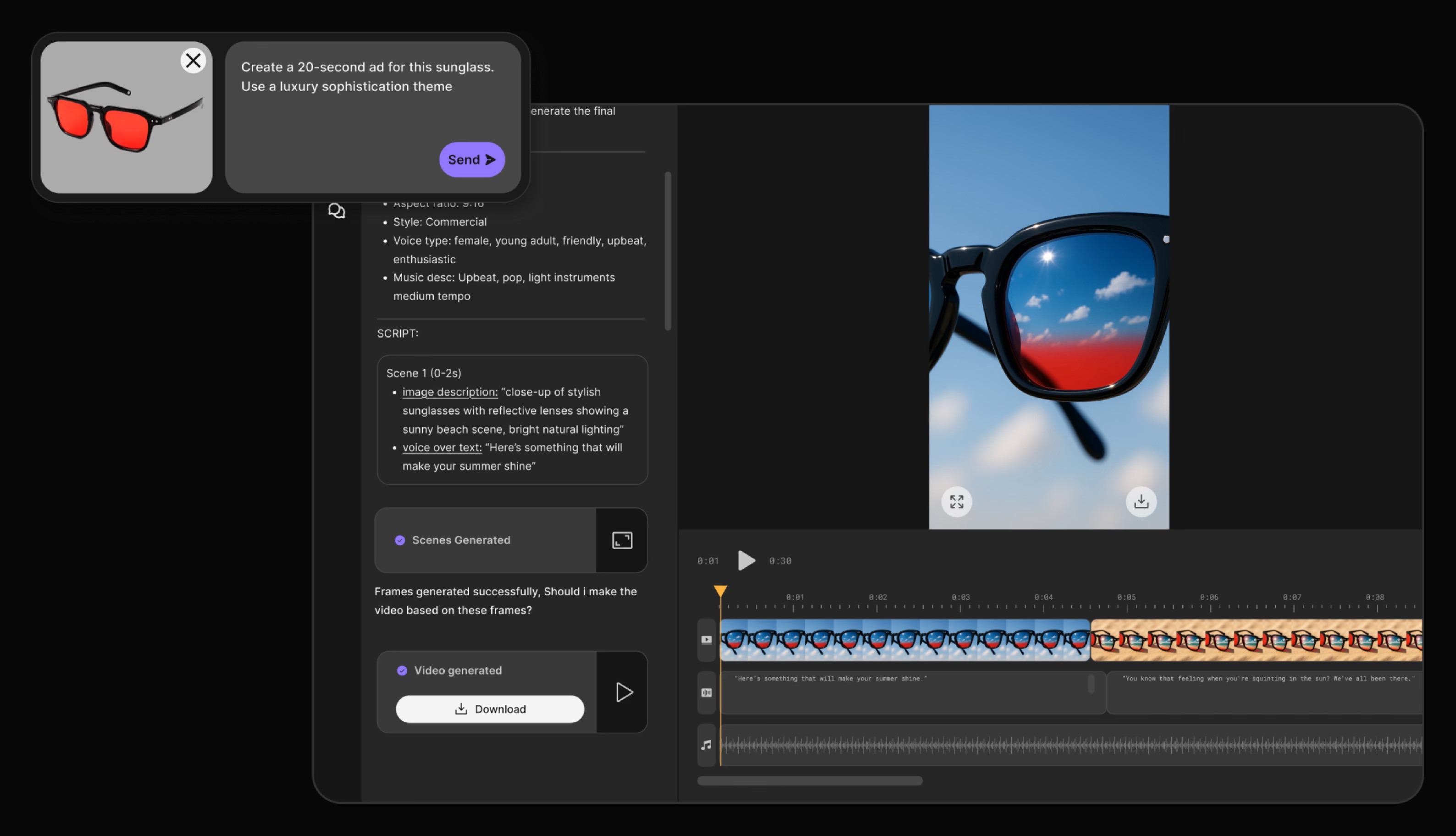
Establish the foundation.
- Defined the overall layout, structure, and initial user flow
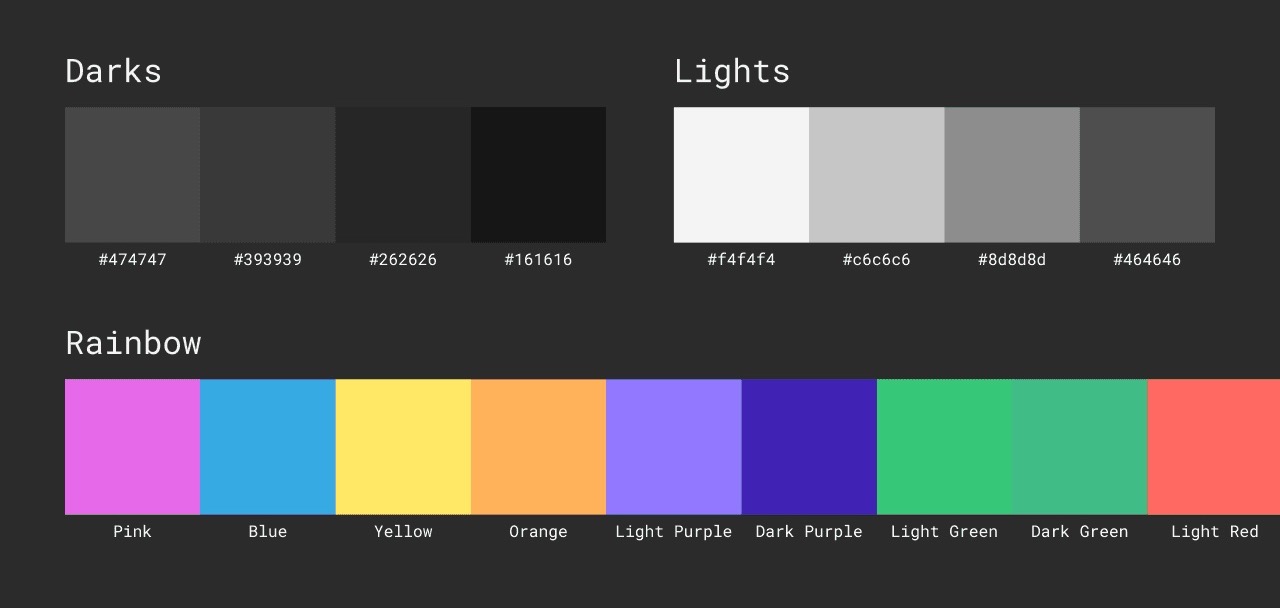
- Set the color palette and core components for the Video Agent’s design system
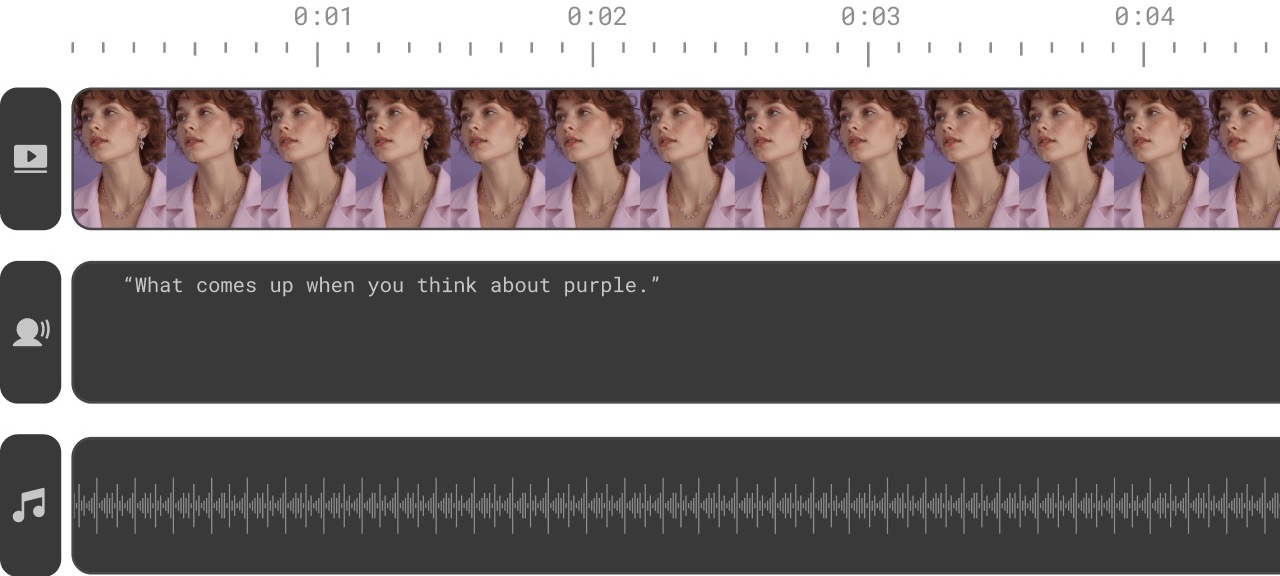
- Designed the timeline structure and how generated scenes and outputs are presented
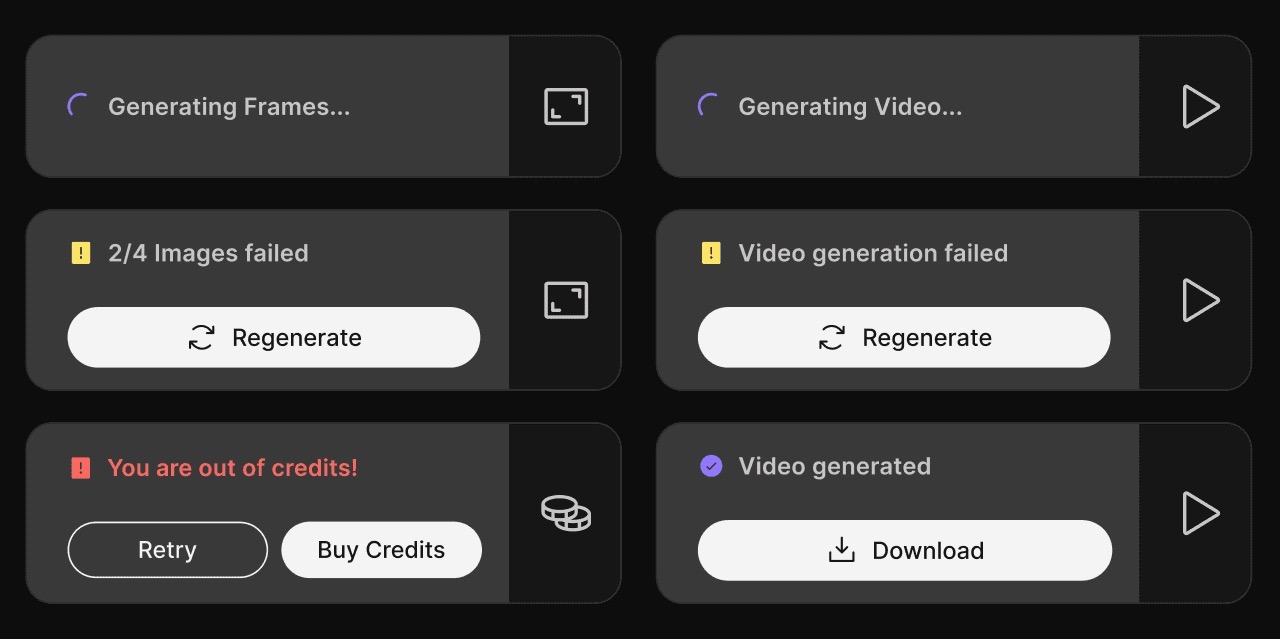
- Created feedback states and actionable cues to guide users during generation
Give users control of the output.
- Identified key user requirements and shaped the experience around them
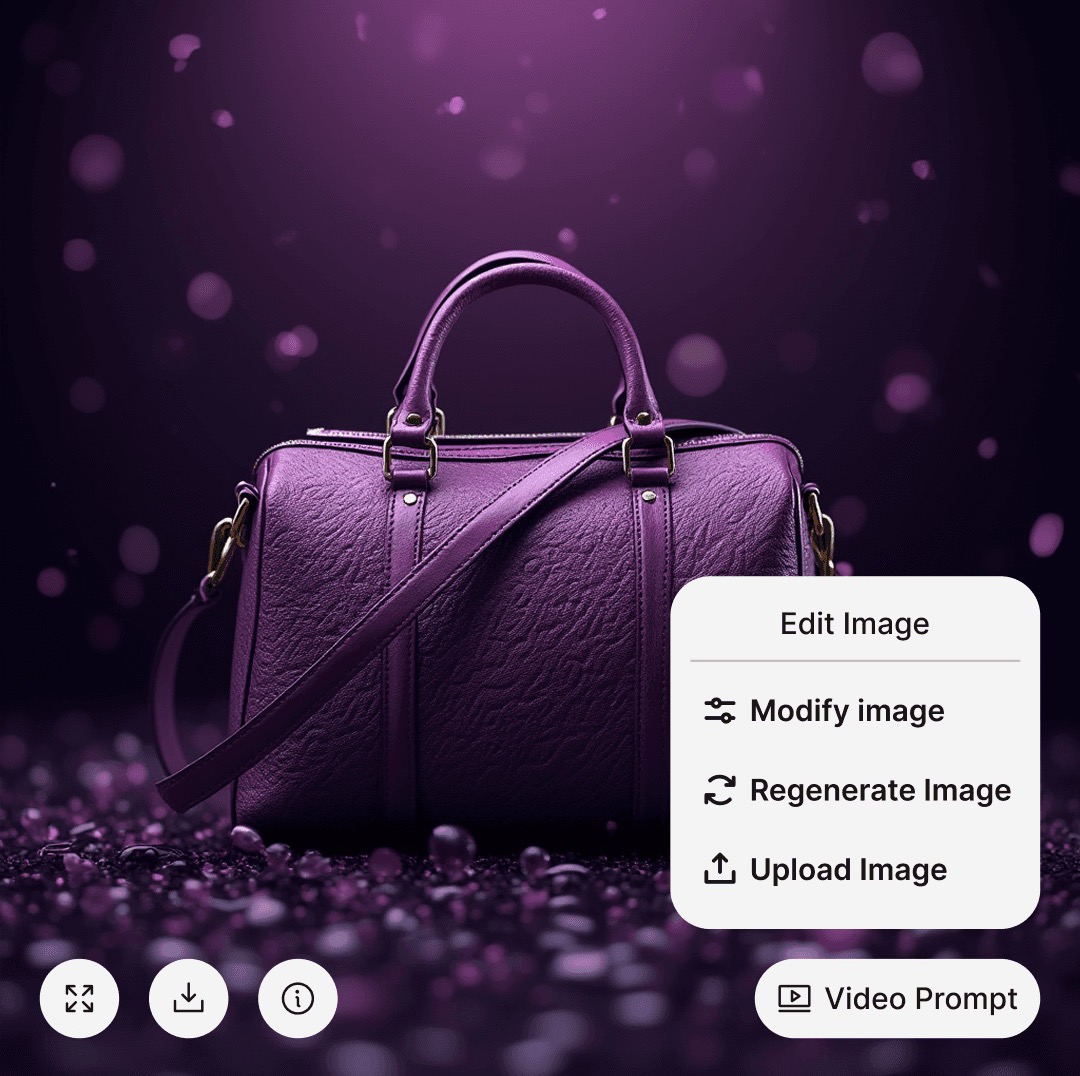
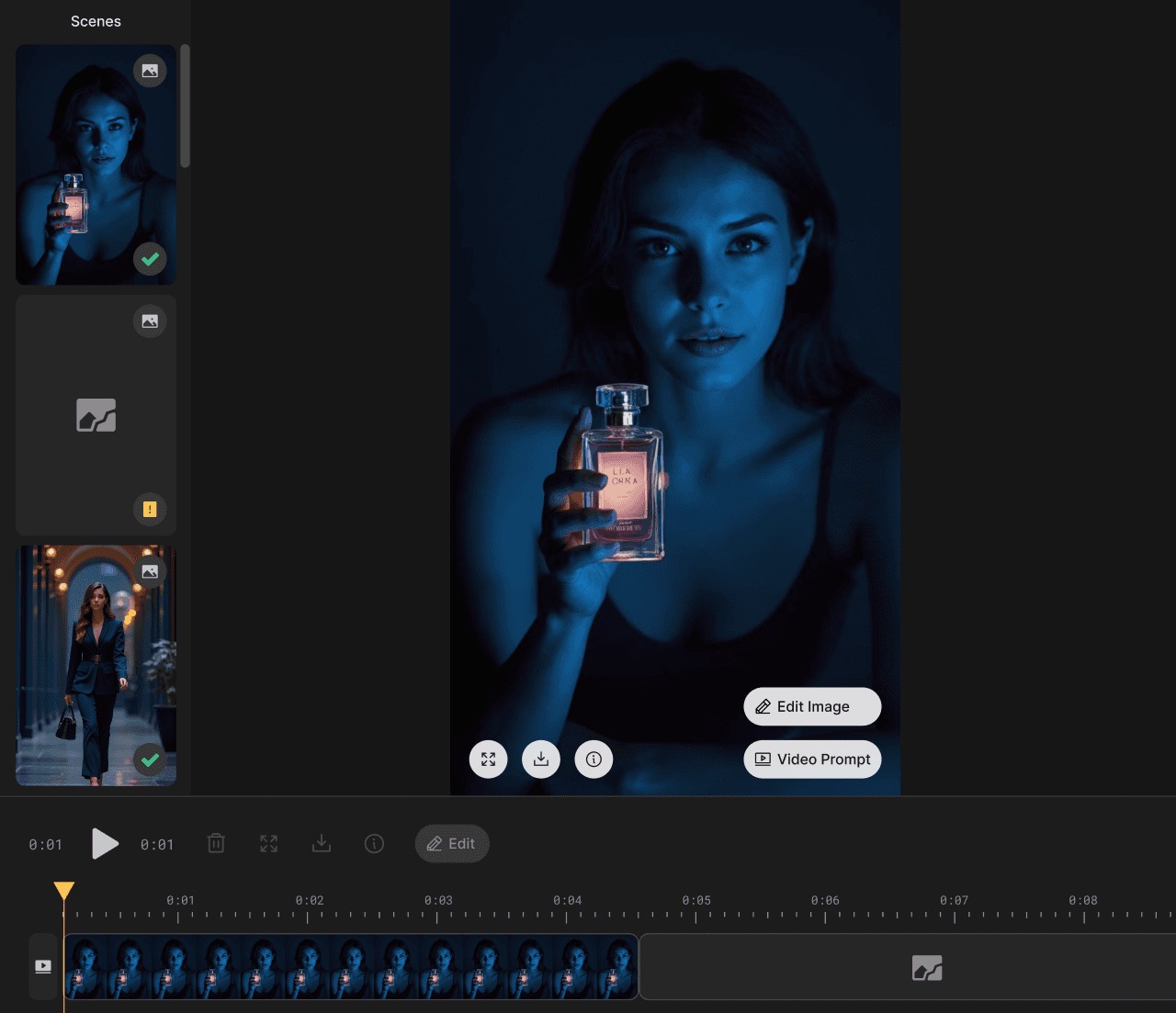
- Added controls to adjust scene duration, modify images, edit prompts, and add or delete scenes
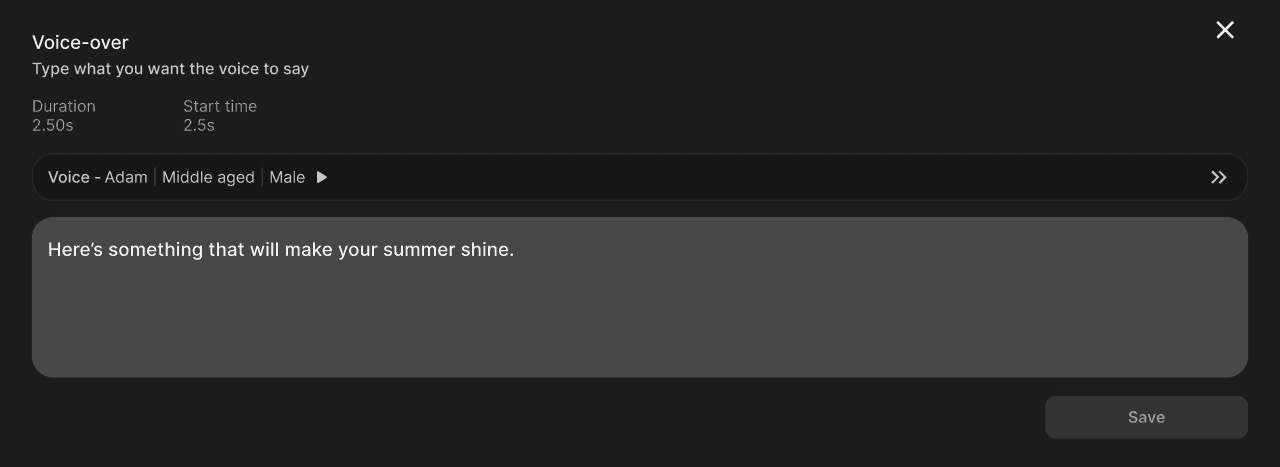
- Introduced voice-over editing so users can refine the narrative
- Implemented a vertically scrollable scene layout for quicker switching, smoother editing, and clearer feedback
Iterate freely, direct, and personalise.
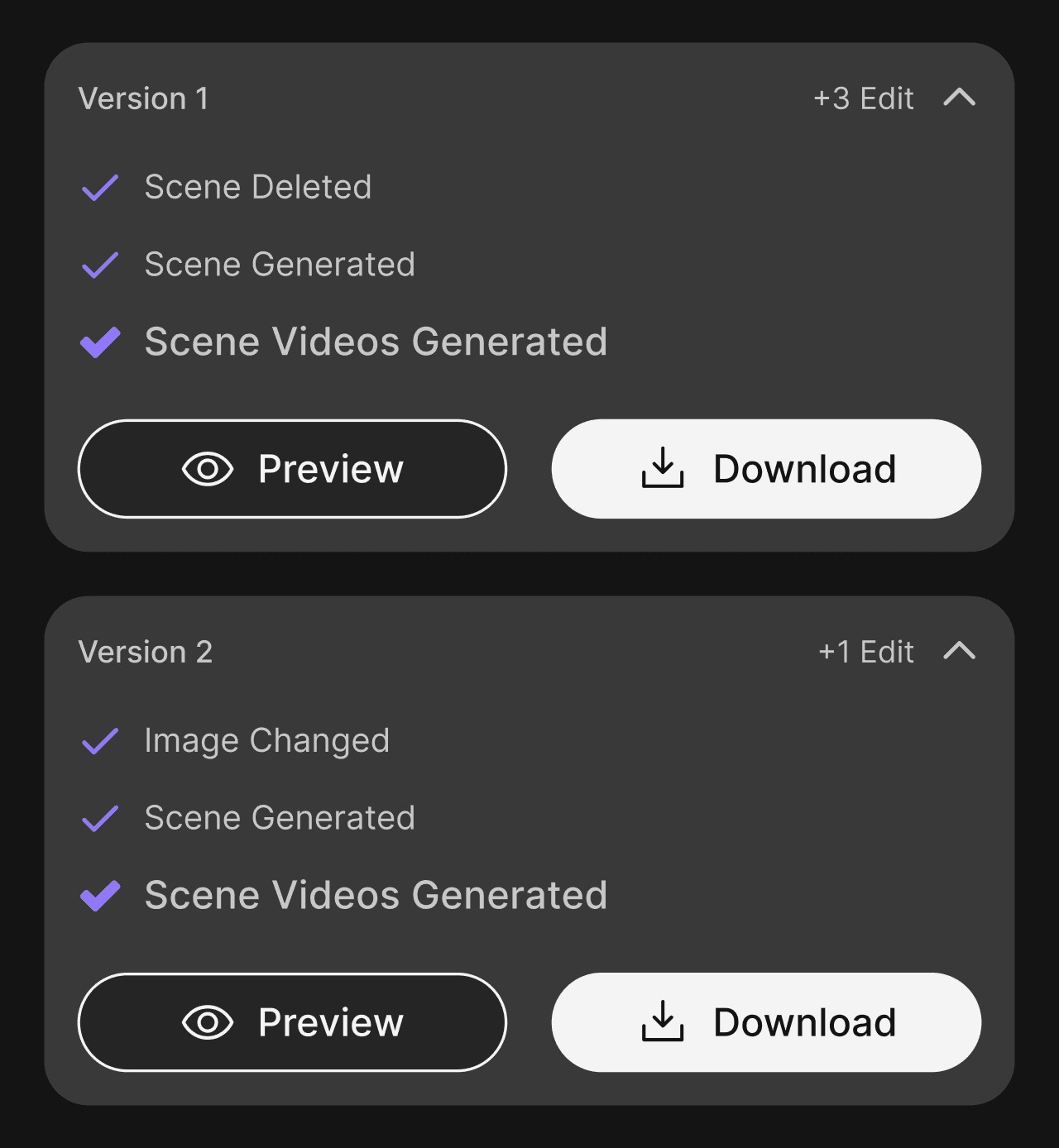
- Multi-version editing — every revision saved as its own version, retaining all past edits
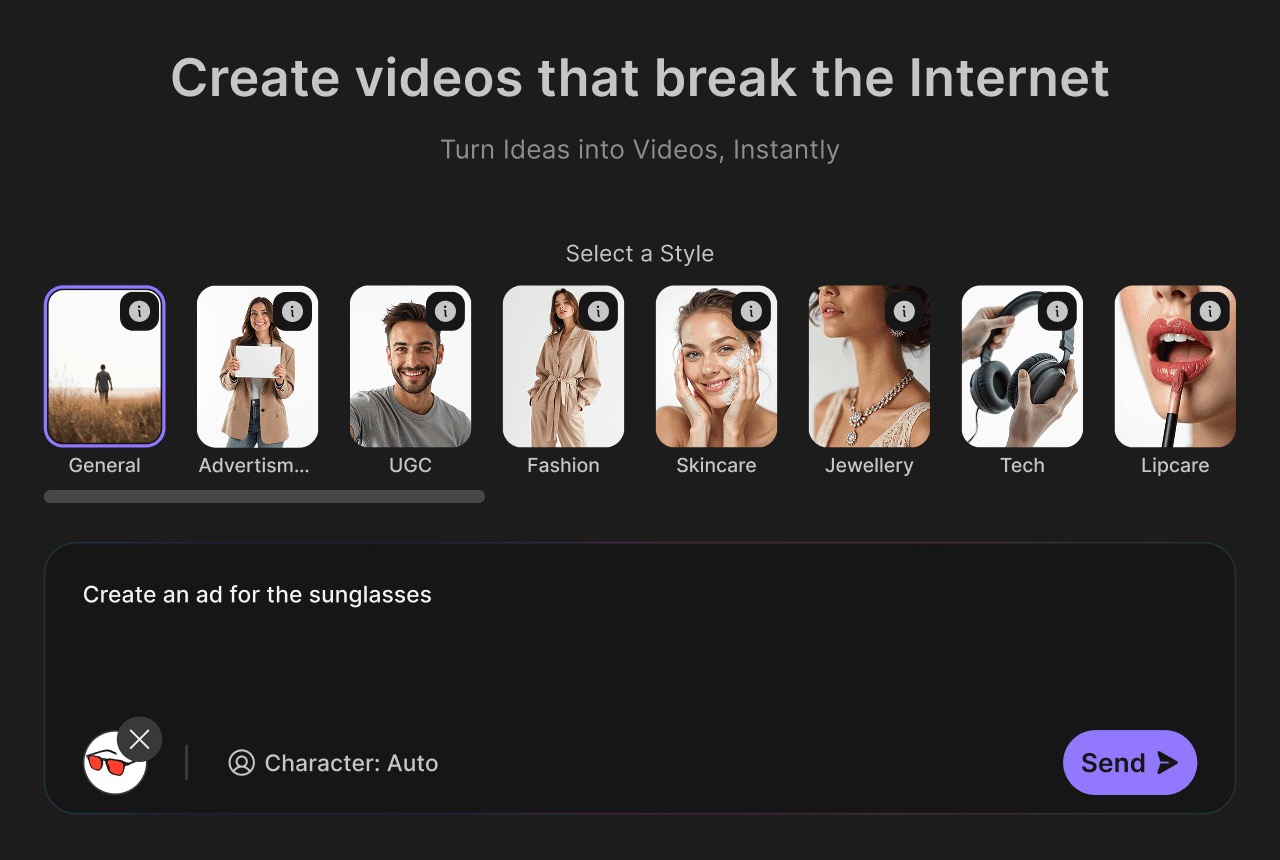
- A Directors feature to pick styles (UGC, Product ad, Fashion, Tech…) for tailored videos
- A Characters feature to design custom characters and reuse them consistently across projects
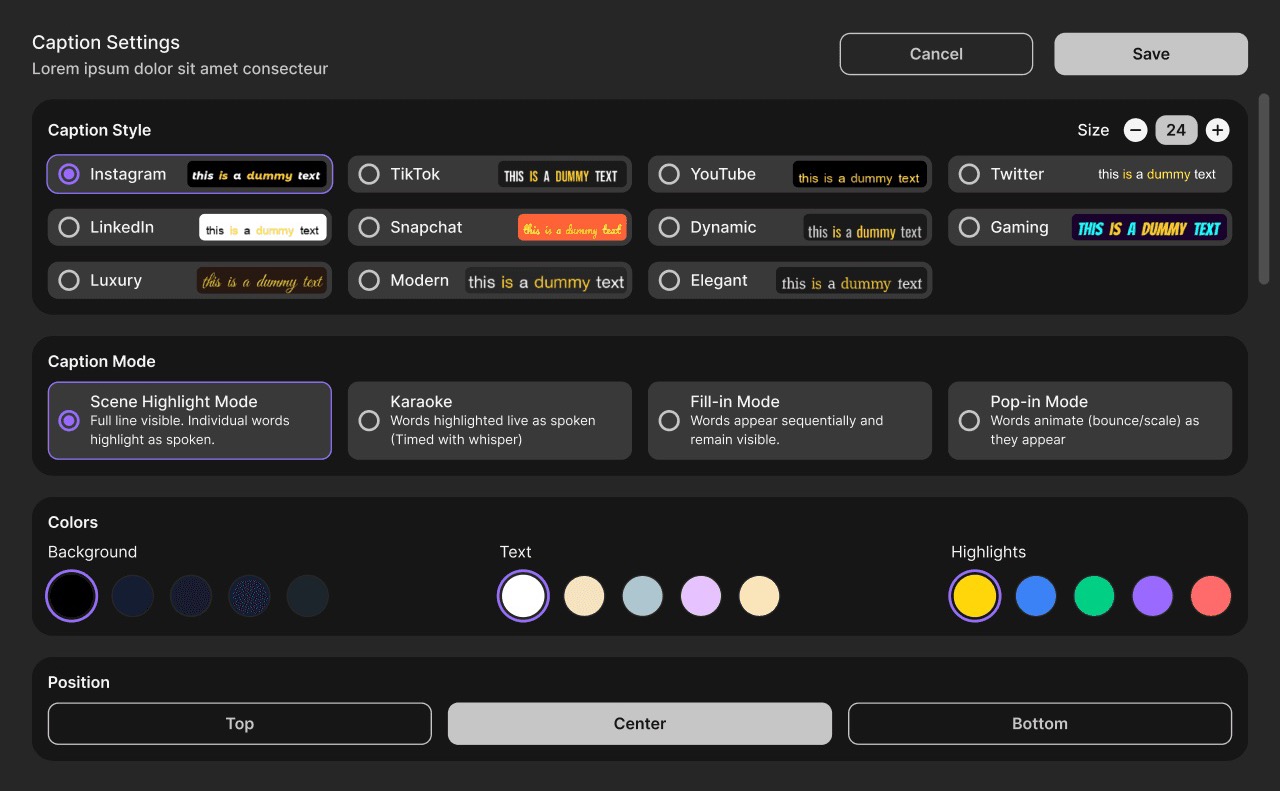
- Advanced caption settings for finer control over on-screen text